Skip to content
Desktop application · v12 released

From imagination to software.

MW is a working environment where an idea becomes a real application — planned, written, reviewed and tested in one place.

Desktop application · Offline-first interface · Arabic and English

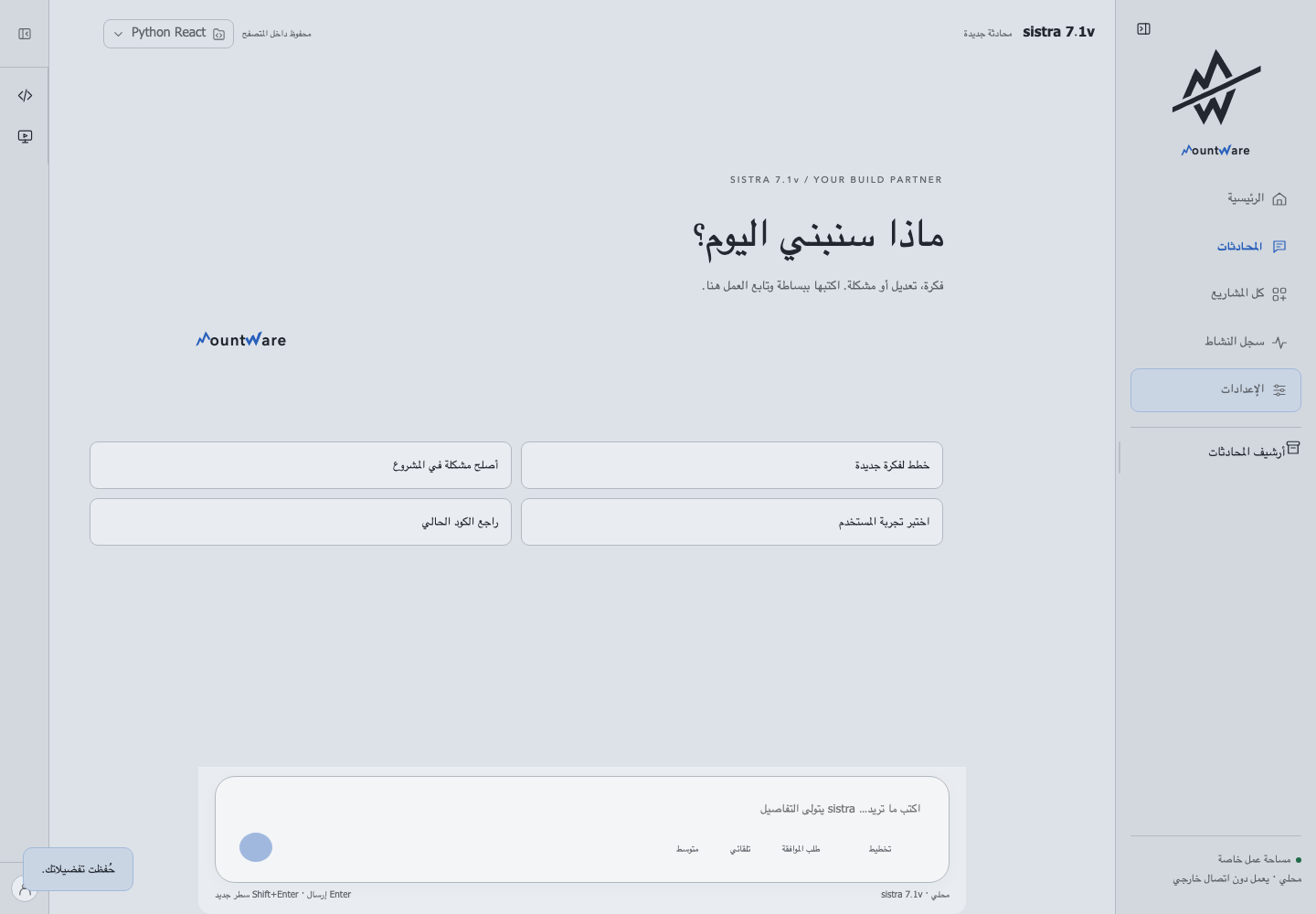
MW Studio — v12
MW Studio interface: the Sistra conversation surface with project rail and preview panel
Scroll to see the work
Products built on MW
3
Released with a verified build
1
Right-to-left and left-to-right, both first-class
AR / EN
Screenshots captured from real builds
100%

VERIFIED WORK

Software that actually runs.

Every project below was built on the MW platform. Status labels reflect real verification, not ambition.

Open the showcase
MW Studio — The MW engineering workspace — projects, editor, preview and review in one surface.
Released macOSLinuxWindows

MW Studio

The MW engineering workspace — projects, editor, preview and review in one surface.

View project

In development
In development Desktop

MW Pad

A configurable control surface for MW, built for handheld input.

View project

In development
Internal Desktop

Noah AI

Local AI processing experiments running on device.

View project

HOW IT WORKS

One workspace, the whole loop.

  1. 01

    Describe

    State the idea, the change, or the bug in plain language.

  2. 02

    Plan

    Sistra turns it into an ordered, reviewable plan before code moves.

  3. 03

    Build

    Files, editor and preview stay in sync inside the same project.

  4. 04

    Verify

    Changes are reviewed, tested and approved before they ship.

THE ENGINE

Sistra AI

Sistra is the reasoning layer inside MW. It plans and coordinates the work; you keep the final decision on every change.

How Sistra works

One request, four checkpoints

  1. Intent Stated in plain language and scoped to a single project.
  2. Plan Ordered steps proposed before any file is touched.
  3. Review Every diff is shown; you approve it or reject it.
  4. Apply Files update, the preview reloads, the plan is archived.

Build the next one.

MW is available as a desktop application. The showcase shows what it produces.

Explore the showcase